Skip to content

One platform for every customer conversation.

Reach, reply, automate and measure from a single workspace your whole team can use. Runs on the official WhatsApp Business API.

CRM

A CRM your team already knows how to use.

Your contacts live in a table that works like a spreadsheet. Double-click any cell to edit, add a column for a custom field, tag contacts, assign them to teammates, and save a filtered view as a segment for your next broadcast.

  • Import and export contacts in bulk
  • Filters, tags, and colours keep a long list readable
  • Segments feed straight into broadcasts and automations
Read the docs
Contacts/Default Search
Contact name
Phone
Tags
Assigned
Create column
Ananya Rao
+91 98200 10001
Hot lead
RK
04/09/2026
Rahul Mehta
+91 98200 10002
CustomerVIP
SNRK
03/09/2026
Priya Nair
+91 98200 10003
Lead
02/09/2026
Vikram Singh
+91 98200 10004
Customer
AJ
31/08/2026
Sneha Iyer
+91 98200 10005
Hot leadDemo booked
SN
30/08/2026
Arjun Das
+91 98200 10006
Lead
RK
28/08/2026
Meera Pillai
+91 98200 10007
Customer
AJ
26/08/2026
1,240 contacts importedSegment saved: Hot leads

Chatbots and Automations

Follow up with every lead in seconds. Even at 3 a.m.

This is the builder. A keyword like "Hi" starts the flow, a welcome message goes out, and a condition checks whether they are already a customer. Existing customers go to a support agent, new leads get the product details. Draw it once and Zacx runs it forever.

  • Drag-and-drop canvas, no code
  • Keyword triggers, conditions, and Yes or No branches
  • Save as draft, publish when ready, and see analytics for every step
Read the docs
Welcome flowLiveLast edited 4 min agoSave as DraftPublish
Keyword is
"Hi" or "Hello"
Welcome
message
Is an existing
customer?
YesAssign to
support
NoSend booking
link
Replied at 3:07 a.m.1,284 runs this week

Multiple Numbers

One Account. Multiple Numbers.

Connect every number your business uses to a single workspace: sales, support, the official line. Each keeps its own quality rating and sending limit, and your team sees all of them in one inbox.

  • Add as many numbers as you need, one login
  • Check each number's quality rating and sending tier at a glance
  • Spread a broadcast across numbers to send faster and protect each one
+1 555 123 4567US Sales
+91 81234 56788Customer Support
+91 97051 82126Official WA Number
3 numbers, one inbox

Team Inbox

Every chat answered. No lead left on read.

One shared inbox for the whole team, so no conversation lives on one person's phone. Conversations on the left, the open chat in the middle, the contact's details and tags on the right. Filter by unread, active, or assigned, and send templates, documents, photos, audio, or a location without leaving the chat.

  • Assign any chat to a teammate in one click
  • Tag contacts right from the conversation
  • See the 24-hour reply window on every chat, so nothing expires unanswered
Read the docs
ARAnanya Rao Reply window: 22:41:07 left
Today
Hi! Can I book a session this week?10:02
Yes. Thursday, 4:00 pm is open. Shall I book it for you?10:02
Booking confirmedThursday, 4:00 pm
With Meera, senior counsellor
Reminder an hour before
10:05
Type a message
SNAssigned to Sneha N.Hot lead, Session booked

Broadcasts

Reach 10,000 customers in minutes. Not hours.

This is the broadcast launcher. Choose your contacts, pick which numbers will send, select a template, and confirm the estimate. Four steps, and your campaign lands while the offer is still hot.

  • Pick contacts or a saved segment and see the count before you send
  • Split one campaign across several numbers with a slider
  • Up to 80 messages per second, per number
Read the docs
Launch broadcast
Multi-number routing 10,000 contacts selected
Sales +91 98200 00001Max 10,000
6,000 contacts (60%) Quality High
Official WA Number +91 97051 82126Max 10,000
4,000 contacts (40%) Quality High
Total allocation10,000 / 10,000 contacts
Next: Select template
80 messages a secondDone in 1 min 15 sec

WhatsApp Forms

Qualify every lead before you say hello.

A form opens as a sheet inside the chat itself. The customer fills in their name, email, and consent without leaving the conversation, and the answers land on their contact card the moment they tap submit.

  • Built on Meta's native WhatsApp Flows
  • Preview the form, then send it in a broadcast or from an automation
  • Answers tag the contact automatically, so hot leads sort themselves
Read the docs
SASkillbridge AcademyBusiness account

Hi Ananya! Book your free counselling session.

Book a slot
Book a session
What do you need help with?
  • Career counselling
  • Course details
ContinueManaged by the business. Learn more
Saved to the contact cardTagged: Career counselling

Analytics

Analytics that tell you what to do next.

Every broadcast reports six numbers: total, sent, delivered, read, replied, and failed. Hover any bar for the exact count. That is enough to know which template to keep and which to retire.

  • Delivery and read rates for every campaign
  • Replies and failures counted, not guessed
  • Step-by-step analytics inside every automation
September batch launchSent 4 Sep 2026, 10:00
Broadcast performanceDelivery status of messages
TotalSentDeliveredReadRepliedFailed
Read Contacts5,94059.4% of sent
Read rate 59.4%Keep this template

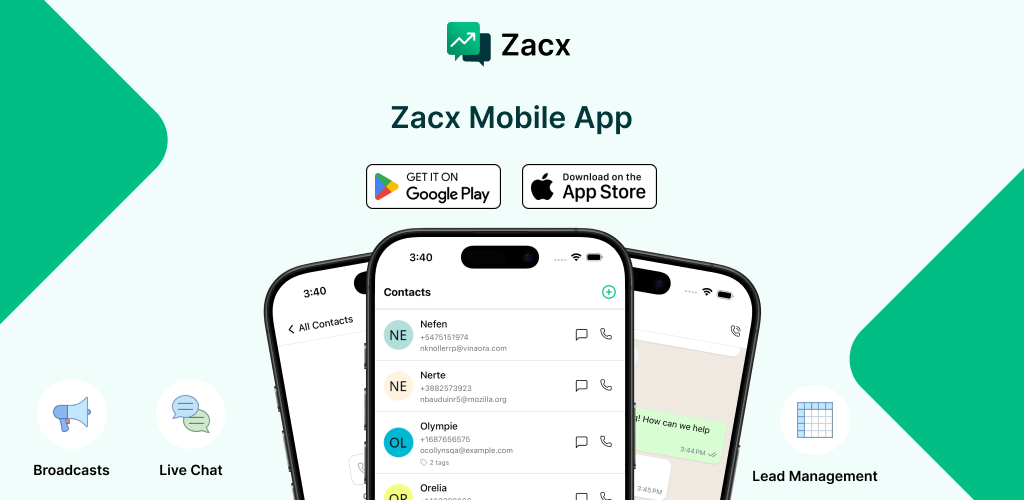
Mobile App

Your whole business, in your pocket.

The same inbox, contacts, and broadcasts on iOS and Android. A push notification the moment a lead replies, and the full conversation ready to answer from wherever you are.

  • Full team inbox and contact list on your phone
  • Push notifications the moment a lead replies
  • Assign, tag, and reply between meetings or from the back seat
Download on the App StoreGet it on Google Play
The Zacx mobile app on iOS and Android

Developer APIs

Want to go custom? Here are the keys.

Send templates, trigger flows, and sync contacts from your own stack. Or let a webhook from your app, store, or CRM start an automation. Zapier, Pabbly Connect and GoHighLevel connectors are included for teams that would rather not write code.

  • REST endpoints for templates, contacts, and flows
  • Webhook triggers from your app, CRM, or store
  • Zapier, Pabbly Connect, and GoHighLevel connectors
POST /api/send-template
{
  "to": "+919705182126",
  "type": "template",
  "template": {
    "name": "appointment_reminder",
    "language": "en",
    "components": [...]
  }
}

200 { "status": "queued" }

All of it, on one login. Free for 14 days.

Connect your number, upload your contacts, and send your first broadcast before lunch.

Type to search…

↑↓ navigate↵ selectEsc close